

What is an Access Key?
An Access Key is a unique identifier used to access private silos in JSONsilo. When you create a private silo, you need an Access Key to read its data. This ensures that only authorized users can access the silo’s contents. Send the key in theX-SILO-KEY header:
Terminal
How to Generate an Access Key
To generate a new Access Key, follow these steps:1
Go to the Keys Page
Click Keys in the sidebar and select the Access keys card.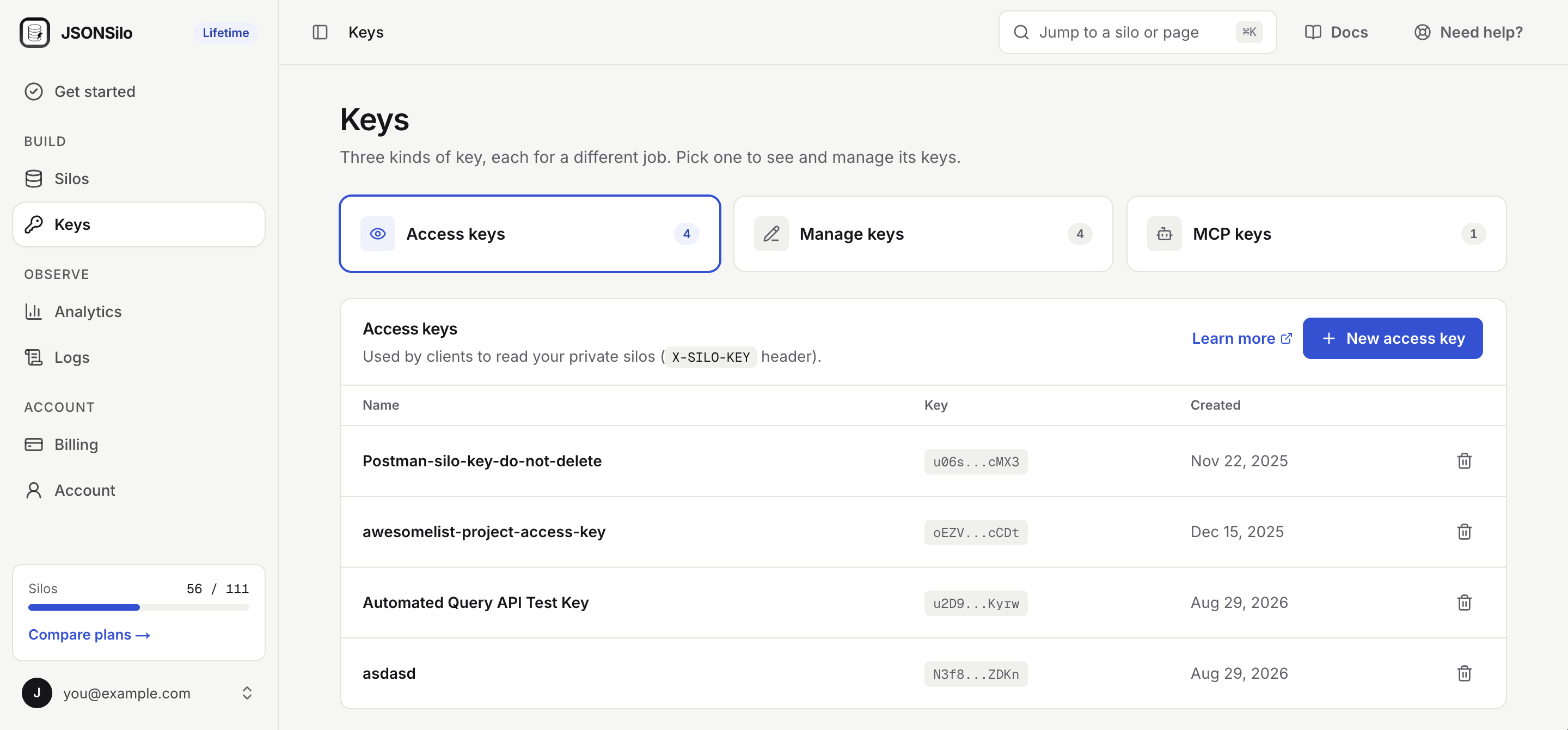
2
Generate a New Access Key
Click the
New access key button.3
Set Key Details
In the dialog, enter a name for your Access Key so you can recognize it later, and click the
Create key button.4
Save the Access Key
The Key created dialog shows your key. Copy the Access Key and store it securely. You will need it to access your private silo.Tick I’ve stored this key somewhere safe, then click
Done.Deleting an Access Key
To delete an Access Key, follow these steps:1
Go to the Keys Page
Click Keys in the sidebar and select the Access keys card.
2
Delete the Access Key
Find the Access Key you want to delete in the list and click the trash icon at the end of its row.
3
Confirm
In the Delete this key? dialog, click the
Delete button. This action can’t be undone.Errors
Best Practices for Managing Access Keys
- Keep Your Access Keys Secret: Treat your Access Keys like passwords. Do not share them publicly or expose them in client-side code.
- Rotate Your Access Keys Regularly: Periodically regenerate your Access Keys to minimize the risk of unauthorized access.
- Use Environment Variables: Store your Access Keys in environment variables instead of hardcoding them in your application.
- Use One Key per App: Give each app or service its own key, so you can delete one without breaking the others.