
Introduction
This guide provides step-by-step instructions on how to change your subscription plan in JSONsilo.1
Go to the Billing Page
Click on the “Billing” menu in the sidebar to view your billing details.
2
Change Plan
Click the 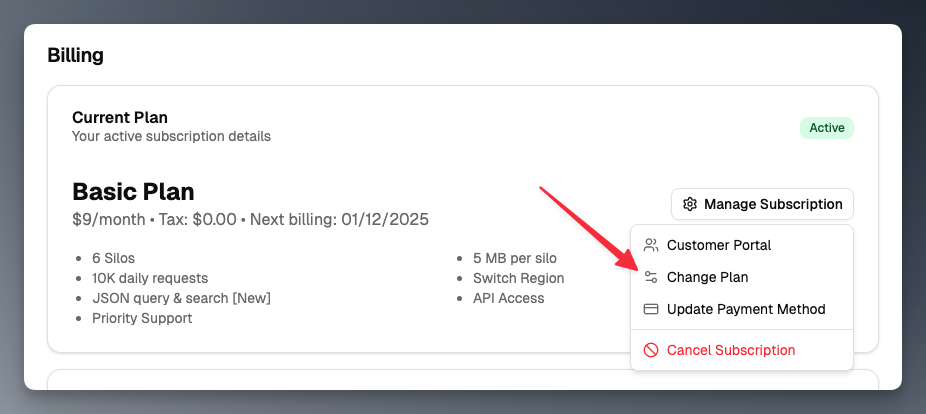
Manage Subscription button and select Change Plan from the dropdown menu.