> ## Documentation Index
> Fetch the complete documentation index at: https://docs.jsonsilo.com/llms.txt
> Use this file to discover all available pages before exploring further.
# Manage Keys
## What is Manage Keys?
A Manage Key allows you to perform operations like creating, reading, updating, and deleting JSON files through API calls, without needing to sign in to the console.
For more information on using Manage Keys with the JSONsilo API, refer to our [API Reference Documentation](/api-reference/introduction).
## How to Create a Manage Key
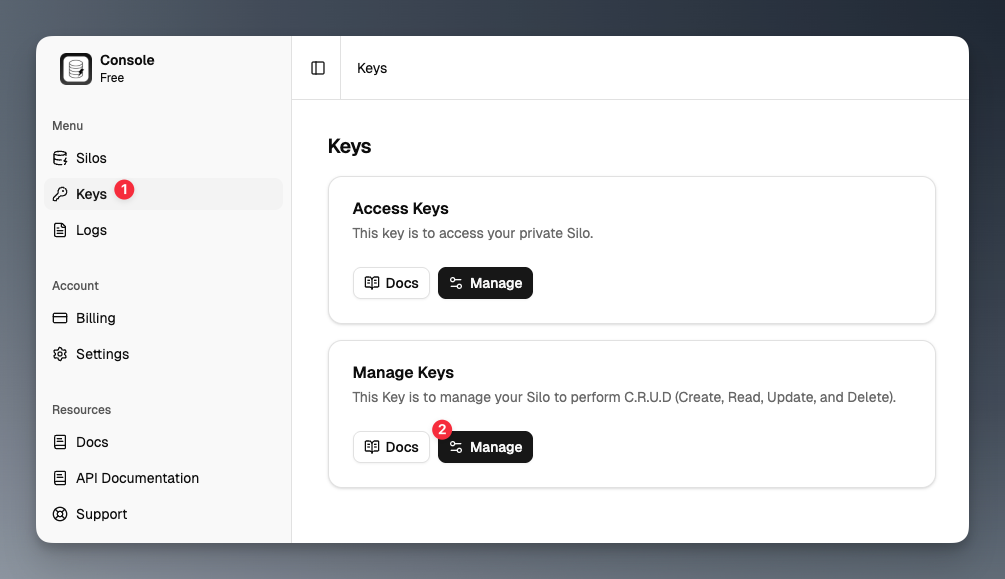
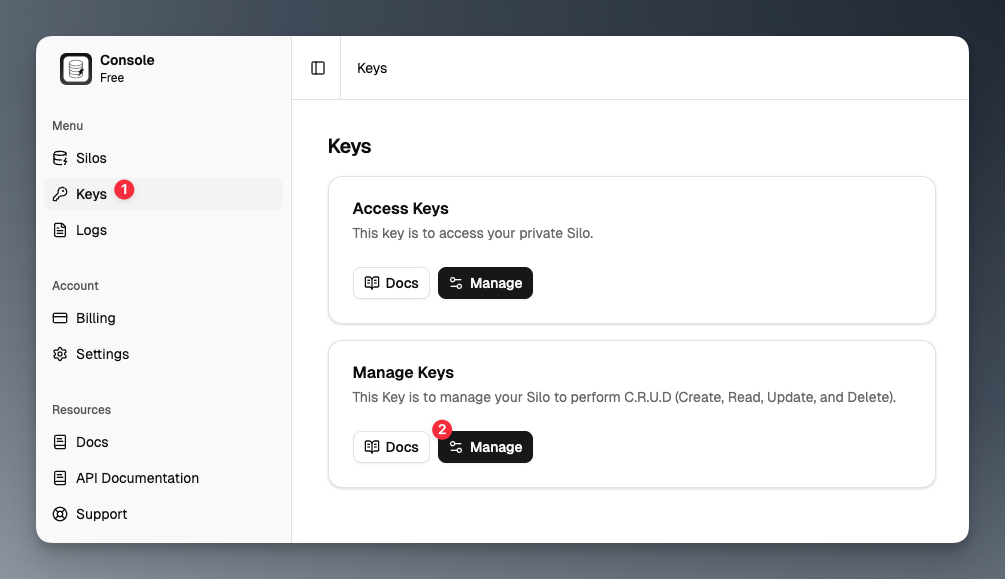
Click on the "Keys" menu in the sidebar and then click the `Manage` button.
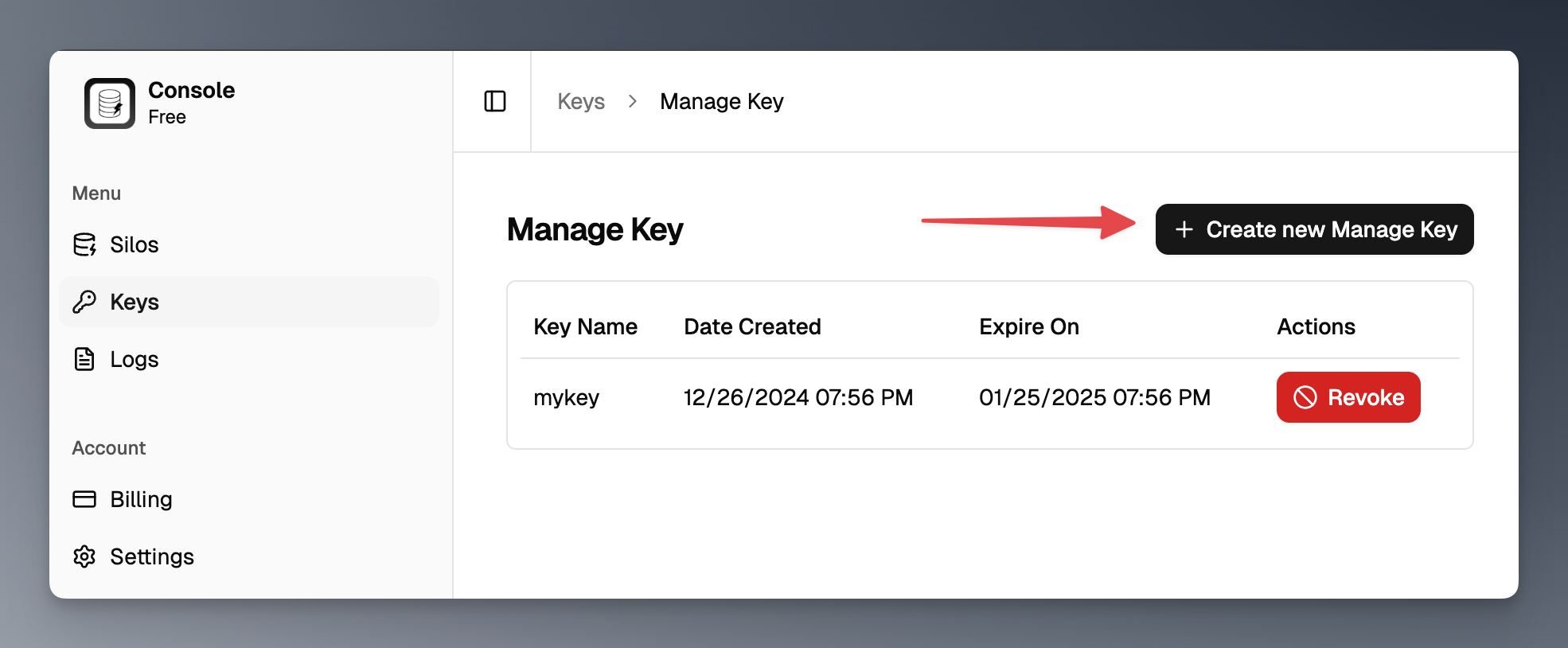
 Click the `Create new Manage Key` button to generate a new Manage Key.
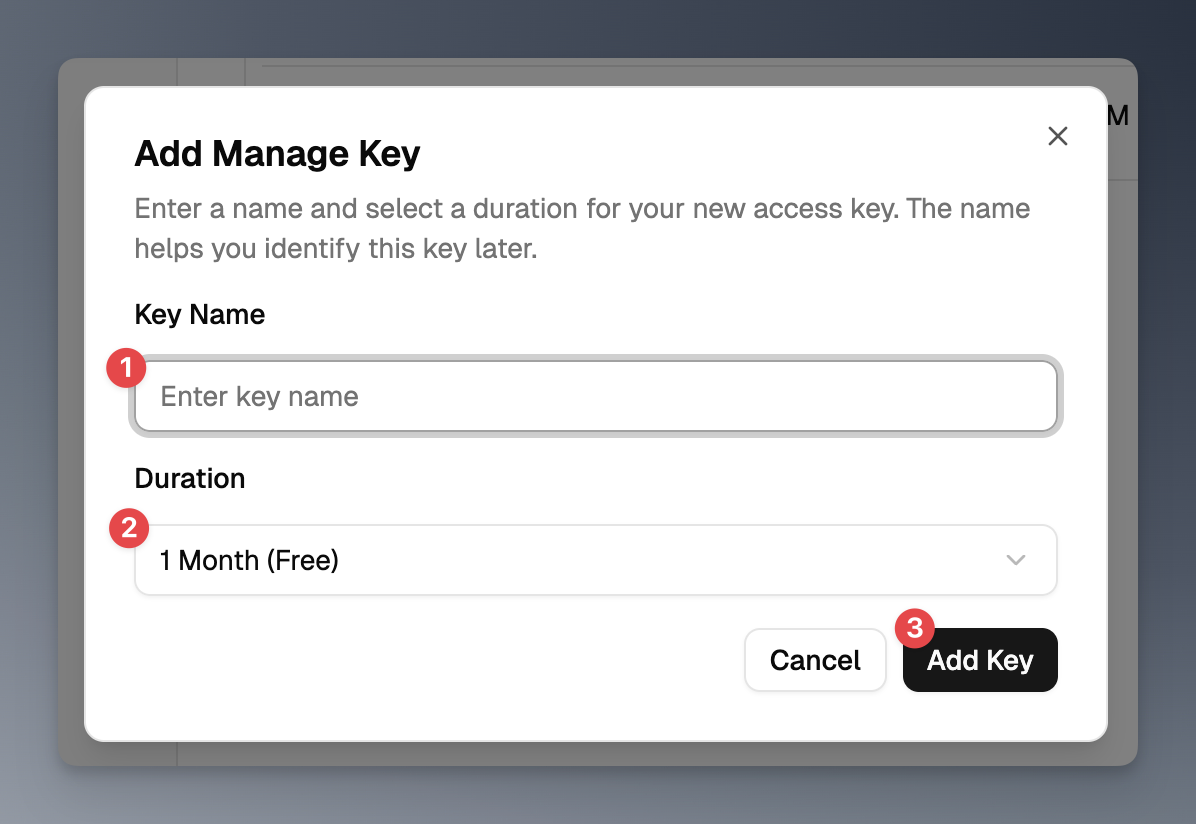
 In the dialog, enter a name and select a duration for your Manage Key, then click the `Add key` button.
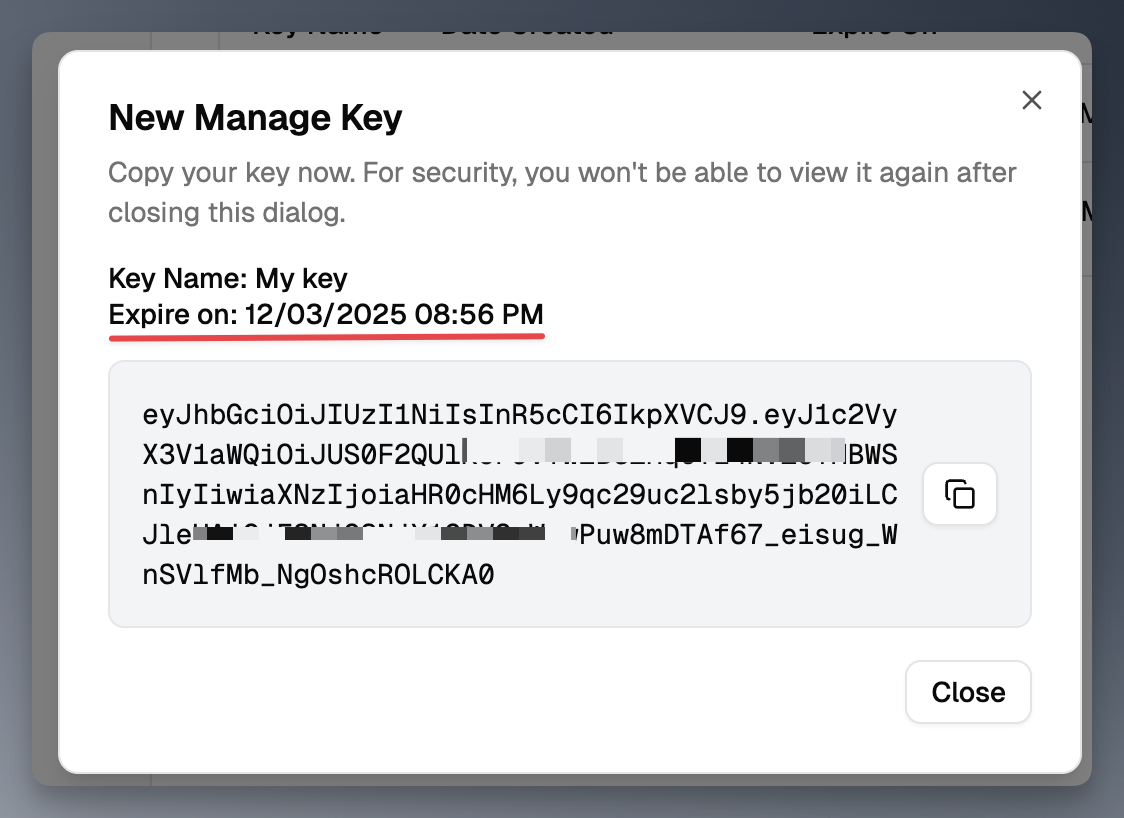
 Copy the Manage Key and store it securely.
Copy the key now, as you won't be able to see it again!
Copy the Manage Key and store it securely.
Copy the key now, as you won't be able to see it again!
 ## Revoking a Manage Key
To revoke a Manage Key, follow these steps:
Click on the "Keys" menu in the sidebar and then click the `Manage` button.
## Revoking a Manage Key
To revoke a Manage Key, follow these steps:
Click on the "Keys" menu in the sidebar and then click the `Manage` button.
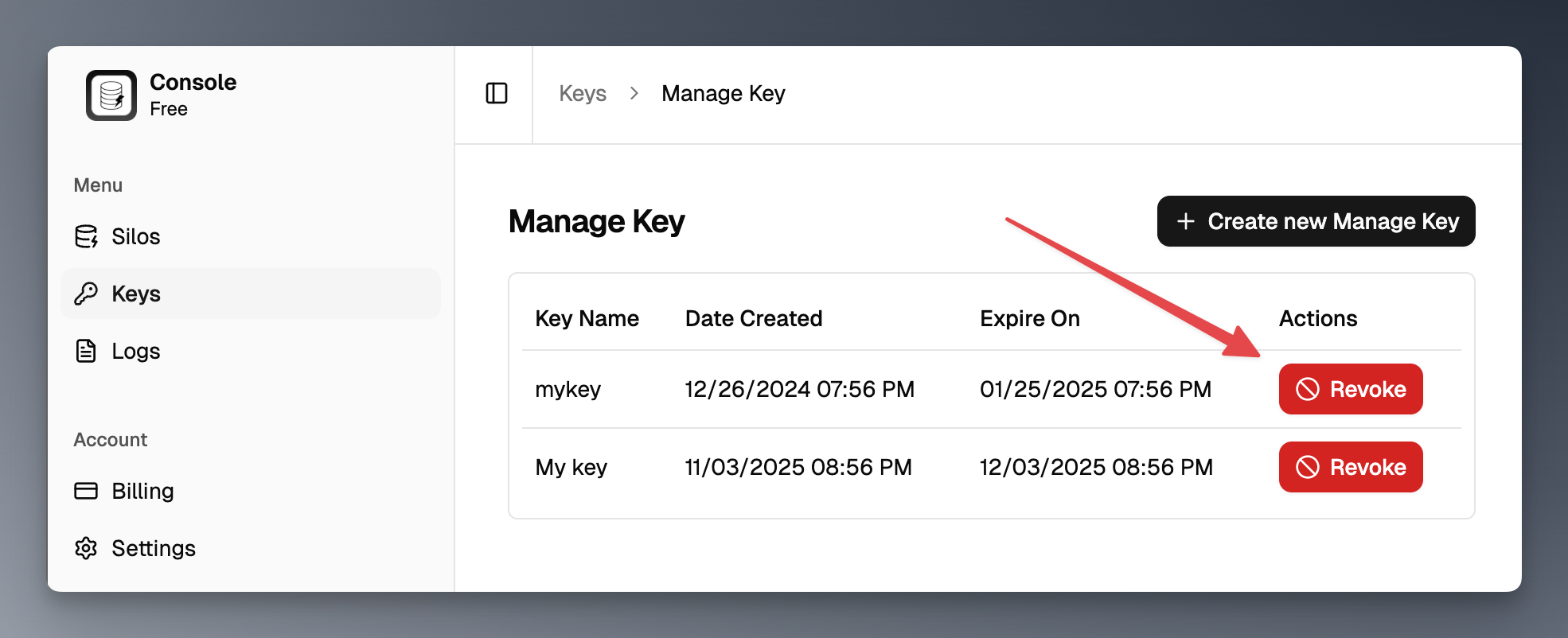
 Find the Manage Key you want to revoke in the list and click the `Revoke` button next to it.
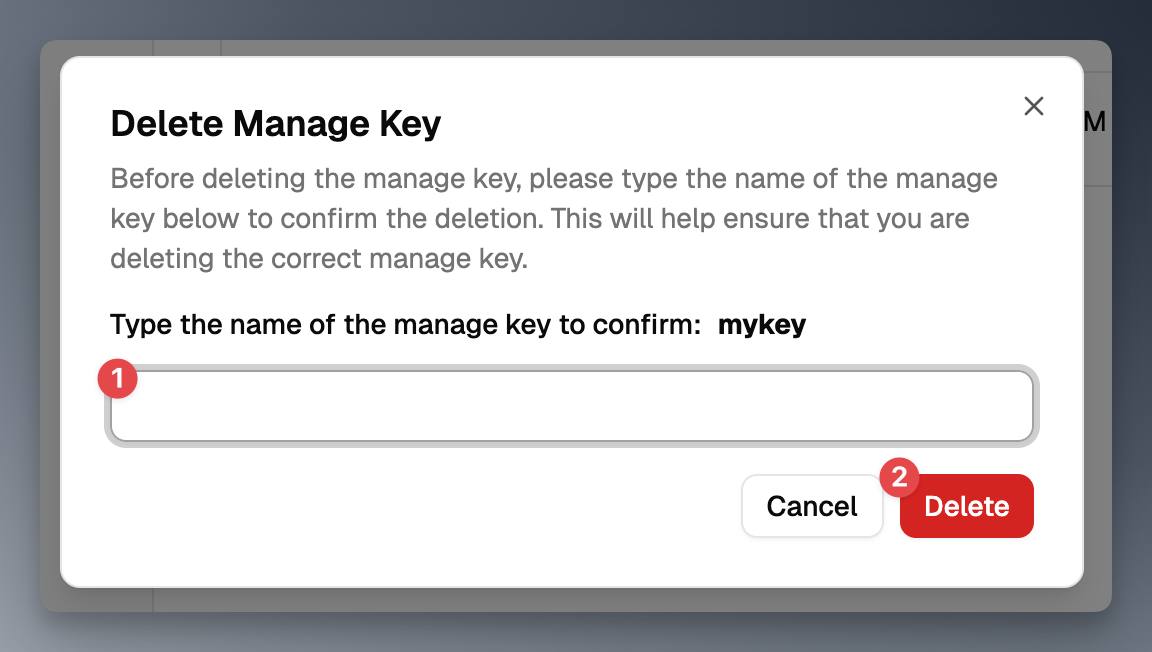
 In the confirmation dialog, enter the key name and click the `Delete` button to revoke the Manage Key.
 ## Best Practices for Managing Manage Keys
* **Keep Your Manage Keys Secret**: Treat your Manage Keys like passwords. Do not share them publicly or expose them in client-side code.
* **Rotate Your Manage Keys Regularly**: Periodically regenerate your Manage Keys to minimize the risk of unauthorized access.
* **Use Environment Variables**: Store your Manage Keys in environment variables instead of hardcoding them in your application.
## Best Practices for Managing Manage Keys
* **Keep Your Manage Keys Secret**: Treat your Manage Keys like passwords. Do not share them publicly or expose them in client-side code.
* **Rotate Your Manage Keys Regularly**: Periodically regenerate your Manage Keys to minimize the risk of unauthorized access.
* **Use Environment Variables**: Store your Manage Keys in environment variables instead of hardcoding them in your application.